

Secure Password Manager Review
#1 KeePass Password Safe 
|
Review date: 05.12.2011
Description: This is an excellent utility, secure and easy to use. Moreover, passwords can be stored in highly encrypted database. One master password enables to decrypt the complete database. KeePass is completely independent. One of the best password manager available freely. |
||
  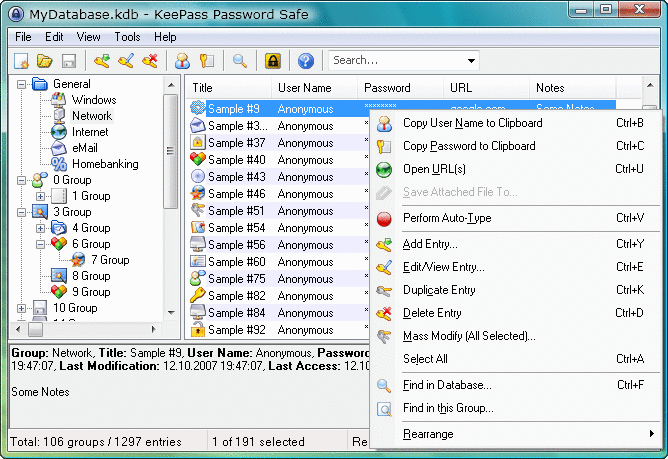 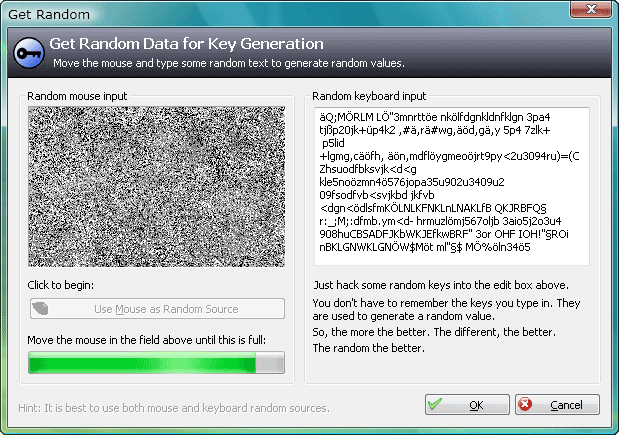 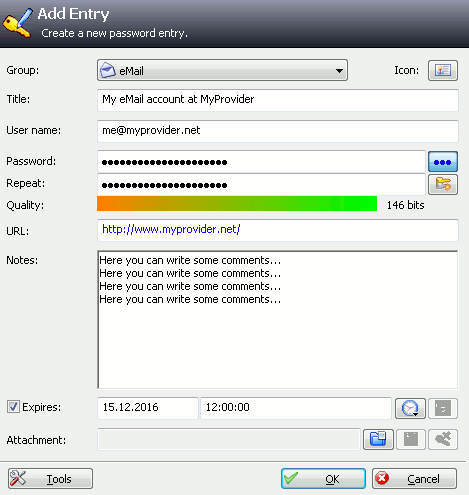 Screenshots |
 Price: Freeware
 Free download from the Publisher Free download from the PublisherSoftware Summary: Supports two different locations for storing configuration information. Smartphones versions are available. |
Main Features:
|
|
Review: Free download from the Publisher
|
||
#2 Password Depot 
|
Review date: 05.12.2011
Description: Easy to use and trouble free, the program enables you to effectively organize your usernames, passwords and other login information in a database. |
||
    Screenshots |
Price: Freeware
Free download from the PublisherSoftware Summary: This handy tool, from AceBit enables to navigate and control your applications without ever remembering a password. |
Main Features:
|
|
Review: Free download from the Publisher
|
||
#3 Cute Password Manager 
|
Review date: 05.12.2011
Description: This shareware allows you to store and organize all your sensitive data in a password protected database. Offers basic features. |
||
    Screenshots Screenshots |
Price: Free to try ($24.95)
Buy from the PublisherSoftware Summary: Automatic web form filling. |
Main Features:
|
|
Review: Buy from the Publisher
|
||
2011 Secure Password Manager Comparisons
- This kind of software enables you to keep all of your usernames and passwords hidden and protected with a single master password.
Security and convenience are the top two reasons for having a password manager. That is why many people choose to use them while surfing the Internet. In addition, these progams enable you to put all your passwords in one database.
In this section, you will find links and reviews of password manager software around so you can decide which software will fit your needs.
Related Review Sites
Useful Resources
-
1. Password Dragon
2. Softros
3.KeepAssX
4. Mittot
5. Password Guru
6. Moxier
7. MyPasswordManager

Antivirus Software 2011 - Trend Micro antivirus with anti-spyware protects PCs from spyware, anti-phishing, virus, trojans and all other Internet threats. Best of all, it keeps intruders out and sensitive information in with a two-way firewall.

AVG Antivirus with Anti-Spyware - The latest version of AVG 2011 brings a complete level of computer protection against the newest threats. It includes antivirus, firewall, with anti-spyware, and anti-spam. On top of that, the last major feature is a free support and

Firewall - ZoneAlarm Pro - The best way to secure your private information on your PC. Free services help you discover and recover from identity theft. ZoneAlarm Pro provides you with firewall with privacy protection. Scans for and removes thousands of spyware
