

Best System Maintenance - Comparisons
#1 TuneUp Utilities 
|
Review date:10.04.2010
Description: The application enables to patch up OS problems with just a few clicks. Best of all, each module can be accessed through a common interface and all important system options are explained in an easy way. |
||
 
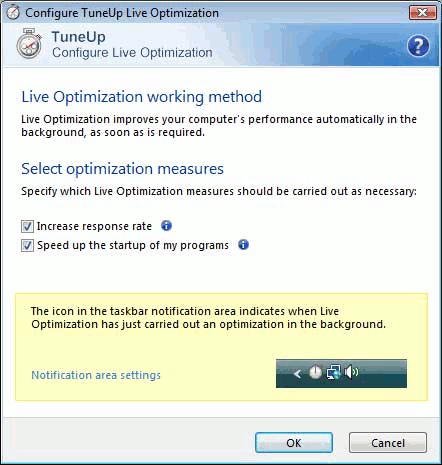 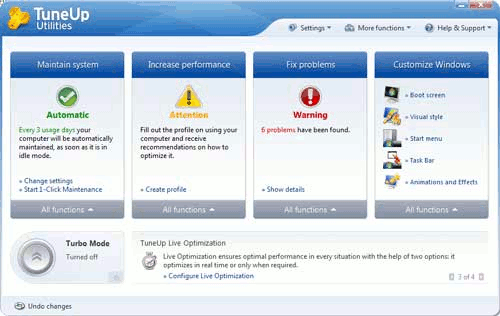 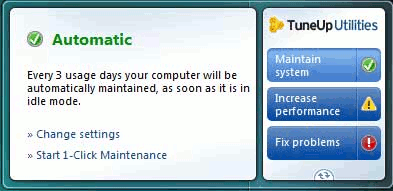 Screenshots |
 Price:
$49.95
|
Main Features:
|
|
Review: In addition to that, recovery tools that are included with this software are top notch.
|
||
#2 SmartClose - Free Maintenance Software
|
Review date:10.04.2010
Description: This free program will automate the process of closing all running programs. Besides, SmartClose supports all versions of Window. In addition to that, SmartClose will fail to close antivirus and firewall software because these programs are especially protected against this kind of software. |
||
 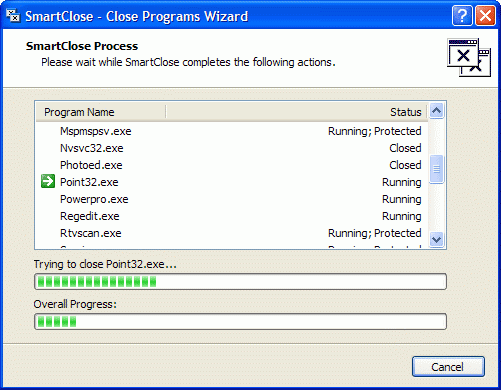 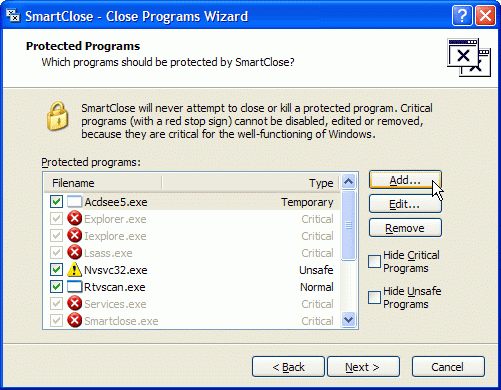 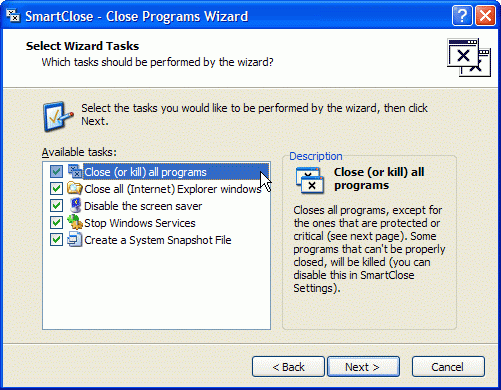 Screenshots |
Price:
License: Freeware
 Free download from the Publisher Free download from the Publisher
|
Main Features:
|
|
Review: Free download from the Publisher
/restore Starts the Restore wizard /config Shows the Settings window /about Shows the About window According to the editor, the next version of SmartClose will support more command-line parameters. Besides, a small update fixes a false virus alert caused by SmartClose with McAfee AntiVirus and possibly other antivirus programs. Launching SmartClose will now always show the UAC (User Account Control) prompt, if UAC is enabled. Note: SmartClose can stop and restart Windows services that can interrupt other processes. |
||
#3 BartPE - bootable Windows environment 
|
Review date:10.04.2010
Description: This application enables you to build a Bart Preinstalled Environme bootable Windows CD-Rom. Moreover, it offers a complete Win32 environment with network support. Does not run on Windows NT4/ME/9x and Win7. |
||
 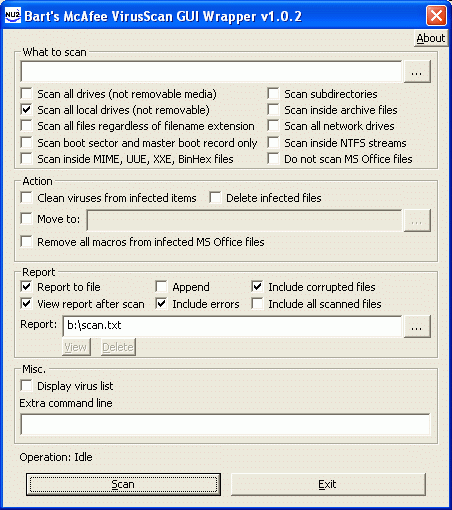 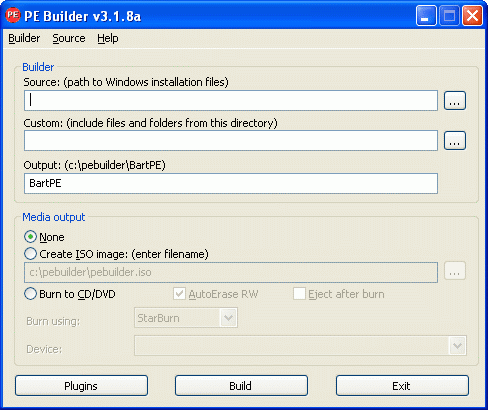 Screenshots |
Price:
Freeware
Free download from the Publisher
|
Main Features:
|
|
Review: Free download from the Publisher
|
||
#4 Advanced SystemCare Free - Optimize system performance
- Hard Drive Defragmentation
- Repairing Window
- 1-click Mechanism
- It will install the Yahoo Toolbar by default
- Junk file cleaner
- Privacy sweeper
|
Review date:01.18.2010
Description: This advanced PC maintenance tool enables you to help protect, optimize, clean, and repair your computer, with a one-click approach. |
||
  Screenshot |
Price:
Freeware
Free download from the Publisher
Software Summary: Boosts your system’s performance by cleaning missing files, destroying unwanted files and 100% free with no spyware or adware. |
Main Features:
|
|
Review: Free download from the Publisher
|
||
#5 System Cleaner 5 - Clean your Hard Drive
|
Review date:05.27.2010
Description: By using this software, you enhance and optimize the overall PC security and performance for Windows and XP platform. |
||
 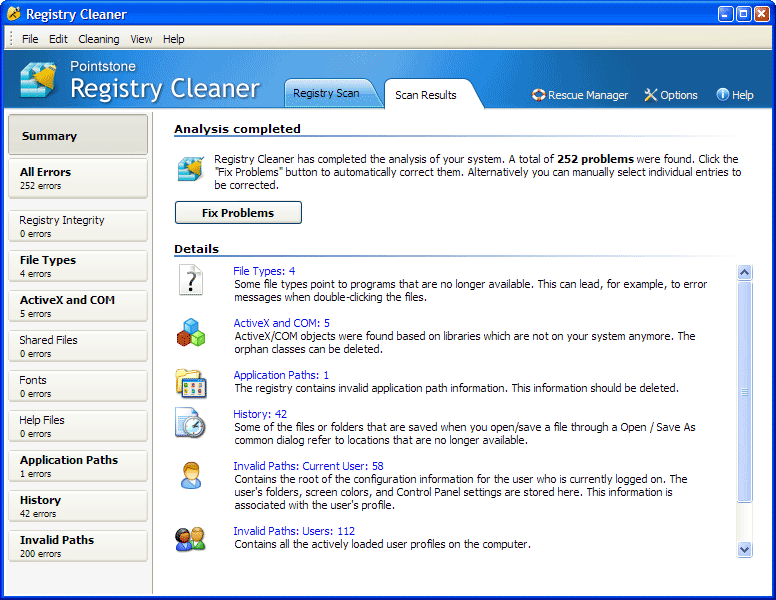 Screenshot |
Price:
Free Trial $34.95
Buy from the Publisher
Software Summary: You can create different protection models for each user account. |
Main Features:
|
|
Review: Buy from the Publisher
|
||
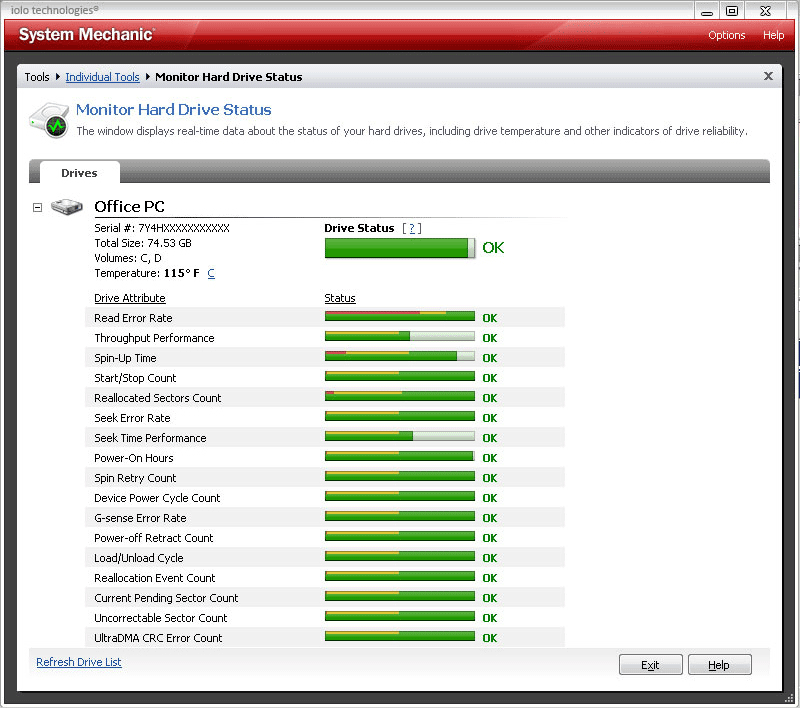
#6 System Mechanic - Real-time hard drive status
|
Review date:05.26.2010
Description: This software allows you to keep your system protected and running properly. Moreover, it combines up to 40 powerful PC tuneup tools to clean hard drive clutter. |
||
  Screenshot |
Price:
$39.95
Buy from the Publisher
|
Main Features:
|
|
Review: Buy from the Publisher
|
||
PC Maintenance Software
- In this section, you will find detailed reviews about how to choose a pc system utilities in order to help you make an informed decision. Some of them offer several repair and recovery and maintenance tools and enable to keep your computer at its best.
Wether you're looking for an all-in-one system to optimize, maintain or speed up your personal computer, you'll find it here.
Advertisement
2011-All-around system tool
1. System Utilities
2. System Cleaning and Error Fixing Utility
3. Disk analyzer and cleanup tool
4. HDDlife Professional
5. System cleaning and maintenance
6. Advanced System Optimizer 3
7. UpdateStar Premium Edition
2. System Cleaning and Error Fixing Utility
3. Disk analyzer and cleanup tool
4. HDDlife Professional
5. System cleaning and maintenance
6. Advanced System Optimizer 3
7. UpdateStar Premium Edition
2010 Internet Security - Sponsored Sites

SpamBully - This anti-spam tool can rid your Inbox of unwanted emails almost completely. Like most filters of this kind, SpamBully requires Outlook, Windows Mail or Outlook Express. Besides, it offers a learning mode for fine-tuning the filtering

Security Scanner for Home Users - Infiltrator can audit each scanned computer for improper registry settings, suspicious open ports, vulnerable services, scripting exploits, weak password policies, and improper user configurations The program can be

GFI Software - Leading developer of network security, content security and messaging software. Its product range includes email content exploit checking and anti-virus software; security scanning and patch management tools.

Compare Webroot Software - If you’re asking yourself - What protection do I need for my computer? - we can help. In addition, take advantage of this easy-to-use tool to compare online threat protection side-by-side and find a solution that best fits your needs.
From best antivirus to free firewall - © 1997-2026
